
Audit Overview
Your store's untapped revenue potential — and how to unlock it
Why We Created This Audit
We analyzed sportique.com the same way we've audited 350+ e-commerce stores — looking for the specific gaps between your current experience and what top-performing Fashion & Lifestyle stores deliver. Every finding in this report is a revenue opportunity backed by industry data and competitive benchmarks.
What We Analyzed
- UX & Conversion Design15 findings
- Technology & App StackPlatform + 5 apps
- Industry BenchmarksFashion & Lifestyle
Pages Analyzed
- Homepage3 findings
- Collection Pages3 findings
- Product Pages (PDP)6 findings
- Cart & Checkout3 findings
 This audit was prepared by Growisto — a CRO-led Website development team behind 167% conversion growth for Atomberg, 46% CR lift for TyresNmore, and 350+ e-commerce projects.
UX & Conversion Findings
Page-by-page analysis with visual comparisons against top Fashion & Lifestyle stores
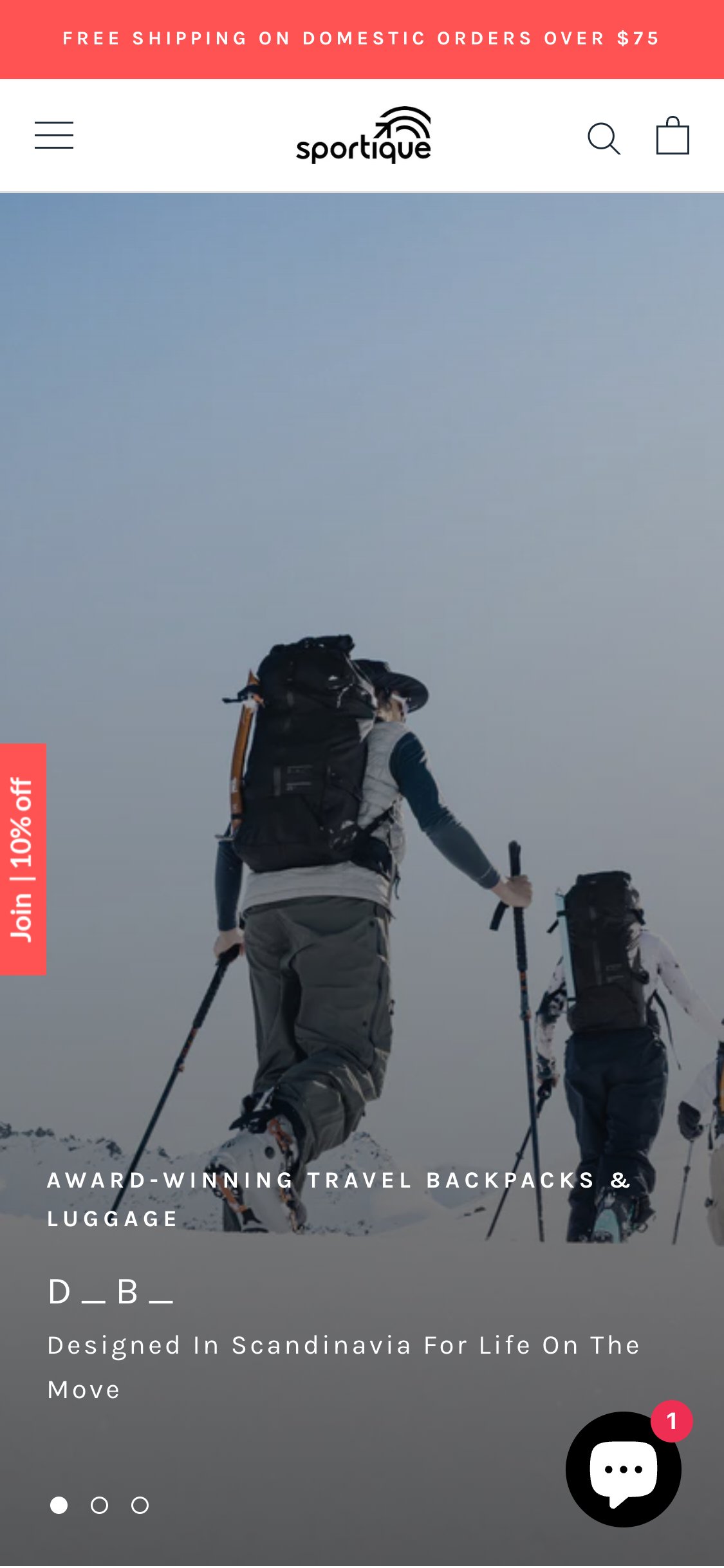
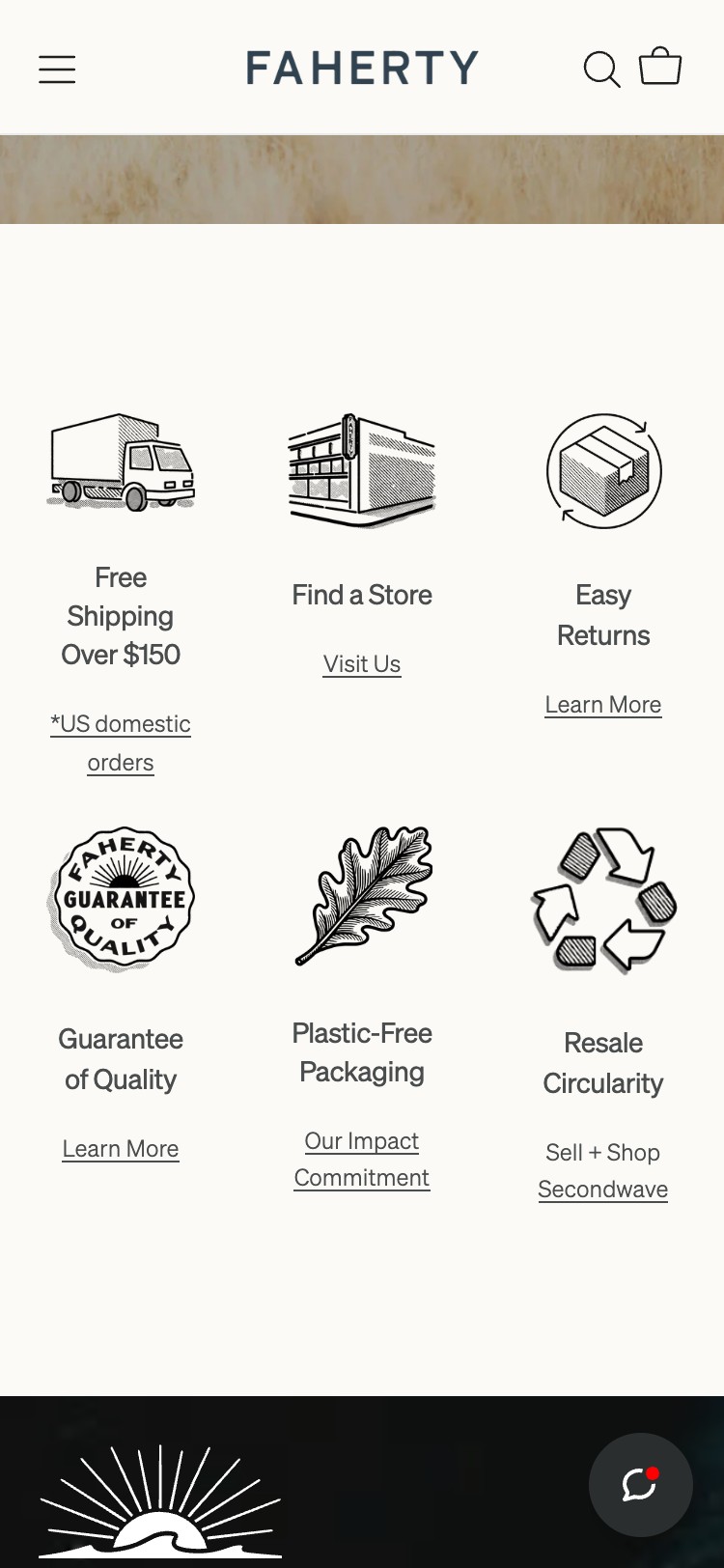
- JS querySelectorAll for '.trust-badge, .usp-bar, [class*="trust"], [class*="usp"]' returned 0 elements
- No icon strip visible in above-fold viewport screenshot
- No free shipping, returns, or secure checkout messaging found anywhere on homepage
- Full-page screenshot confirms page contains only hero image, nav, product tiles, and footer
- Add a 3–4 icon trust strip below the hero: Free Shipping over $X | Easy 30-Day Returns | Secure Checkout | Sustainably Sourced
- Use simple SVG icons + short label — can be implemented as a static Liquid section
- Consider adding trust copy to the announcement bar rotation as a low-effort interim step

- 0 review or testimonial elements found via JS on homepage
- 0 star rating widgets present in any section
- Full-page screenshot shows hero → featured products → footer with no social proof module
- No Instagram UGC feed or customer photo gallery present
- Add a testimonial carousel or star-rating summary strip on the homepage: '4.8★ from 2,000+ happy adventurers' with 3–4 short customer quotes
- Source testimonials from reviews once a review app (Judge.me/Loox) is installed
- Consider a UGC Instagram section showing real customers wearing Sportique products — high social proof for outdoor/lifestyle apparel
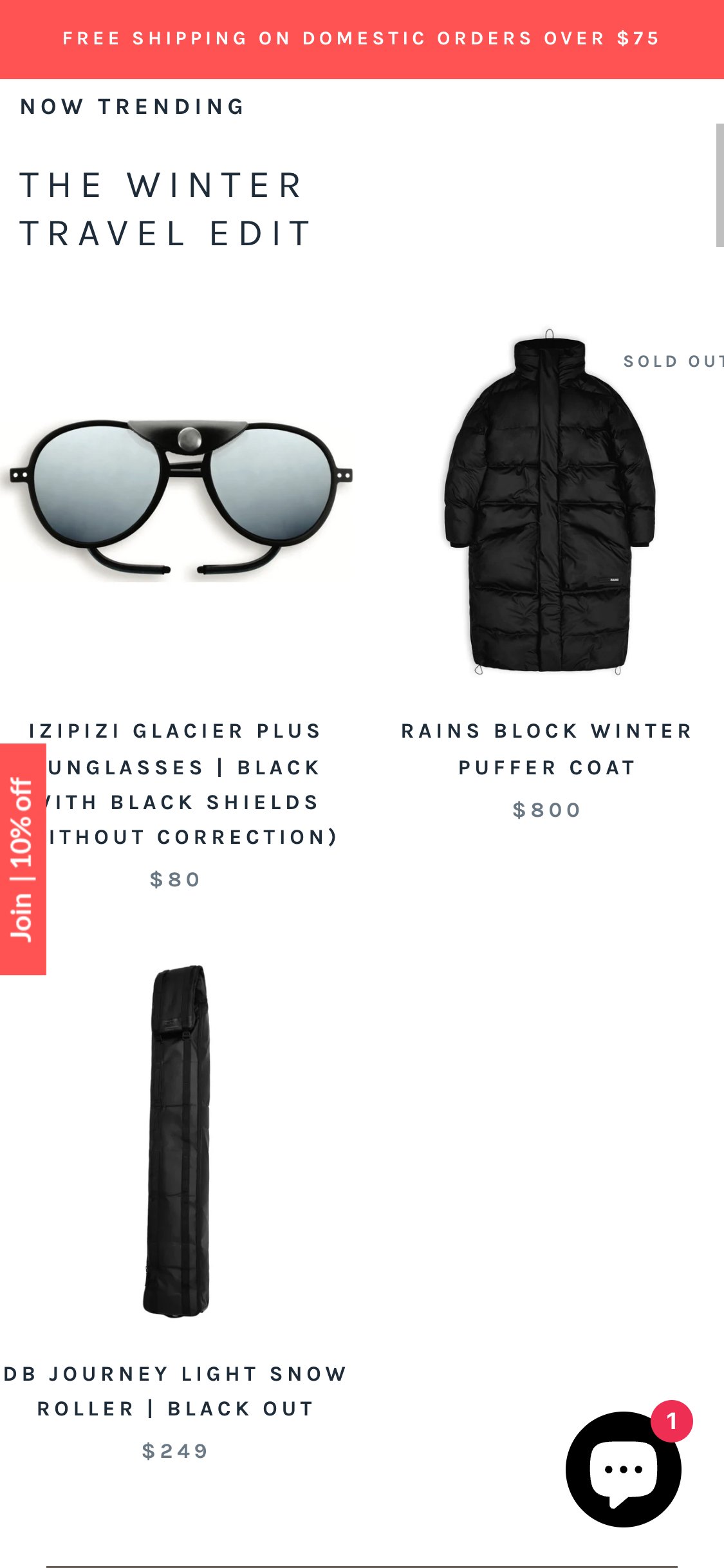
- 0 ATC or quick-add buttons found on any homepage product tile via JS
- Cards contain: product image, product name, price — no interactive purchase element
- Tapping a card navigates to full PDP — no shortcut path to cart
- Sold out badge visible on some cards but no availability indicator on in-stock items
- Add a 'Quick Add' button that appears on card tap on mobile — for multi-variant products, trigger a size-picker bottom sheet
- For single-variant products, allow direct add-to-cart from the tile
- Show a brief success animation or mini cart drawer update on add to confirm the action
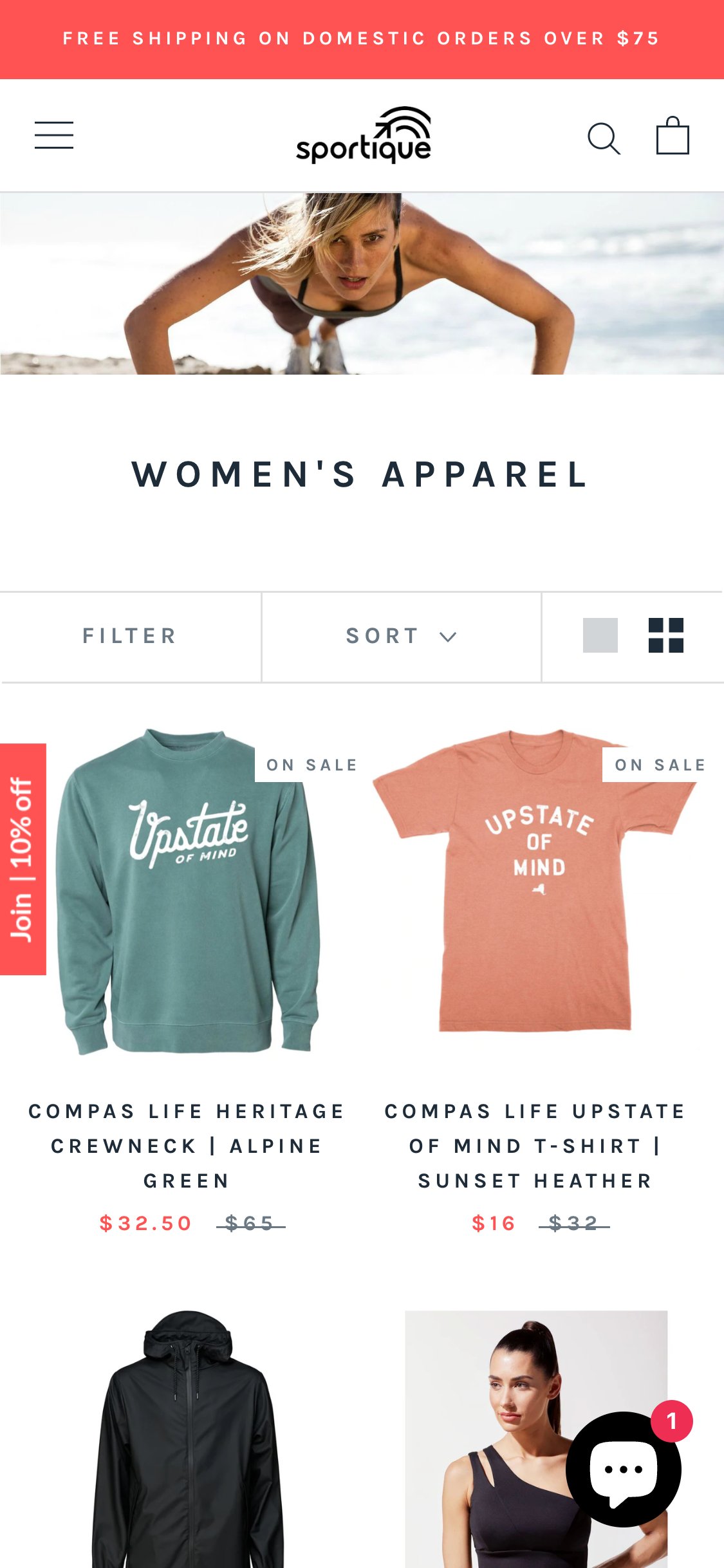
- Only a single Sort dropdown found — no filter bar, sidebar, or pill row
- 0 filter elements found via JS: no [data-filter], no .filter-group, no facet controls
- No price range slider, no size filter, no color filter available
- Collection shows mixed categories with no way to narrow by type or attribute
- Implement Shopify's native storefront filtering (requires Online Store 2.0 theme) or use a dedicated app (Boost Commerce, Searchanise)
- Minimum filters to add: Size, Color, Price range, Category, Brand/Collection
- Display as horizontal scrollable pills on mobile below the sort bar
- Add a product count update as filters are applied to show shoppers how many items match
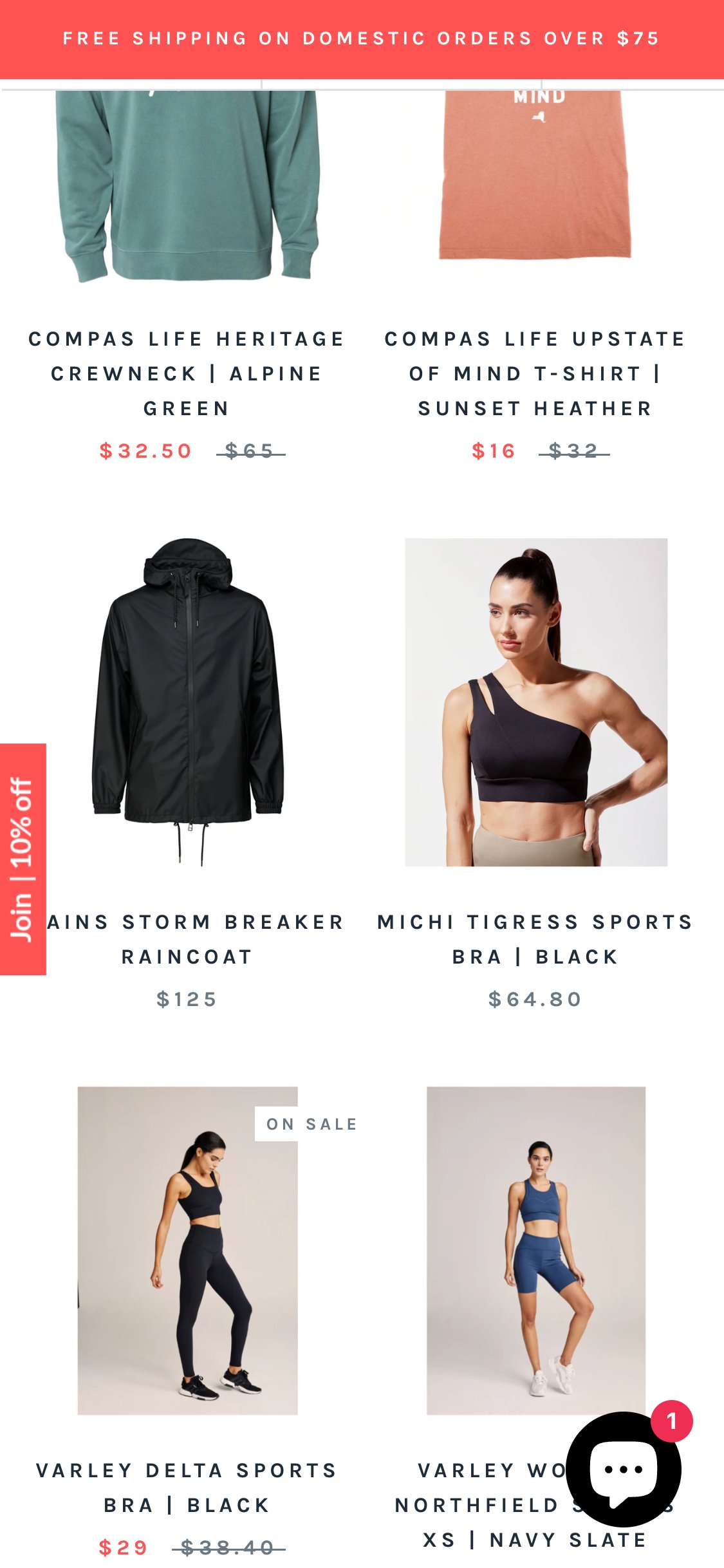
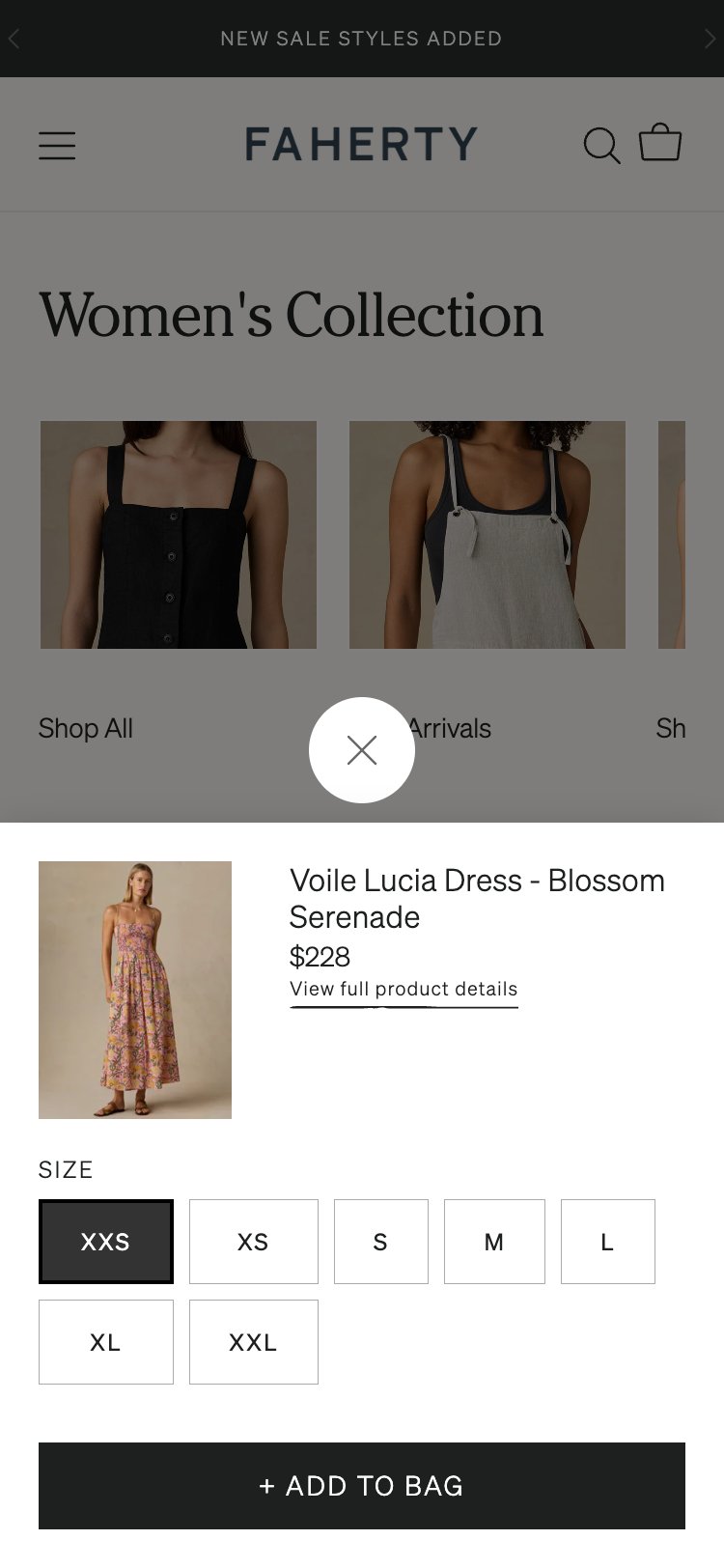
- 0 quick-view or quick-add elements found on collection cards via JS
- Tap on card navigates immediately to PDP — no intermediate UI
- No hover state or secondary interaction layer on product images
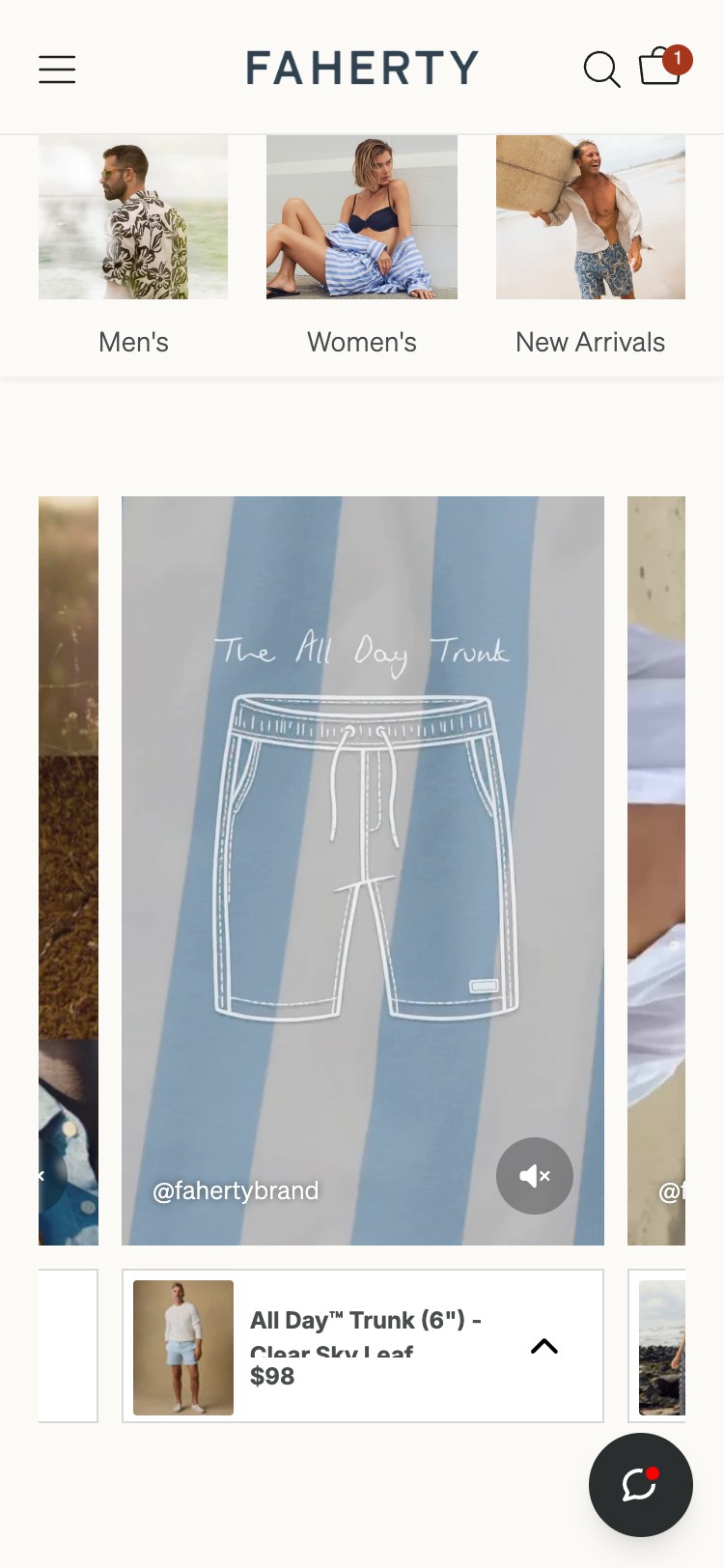
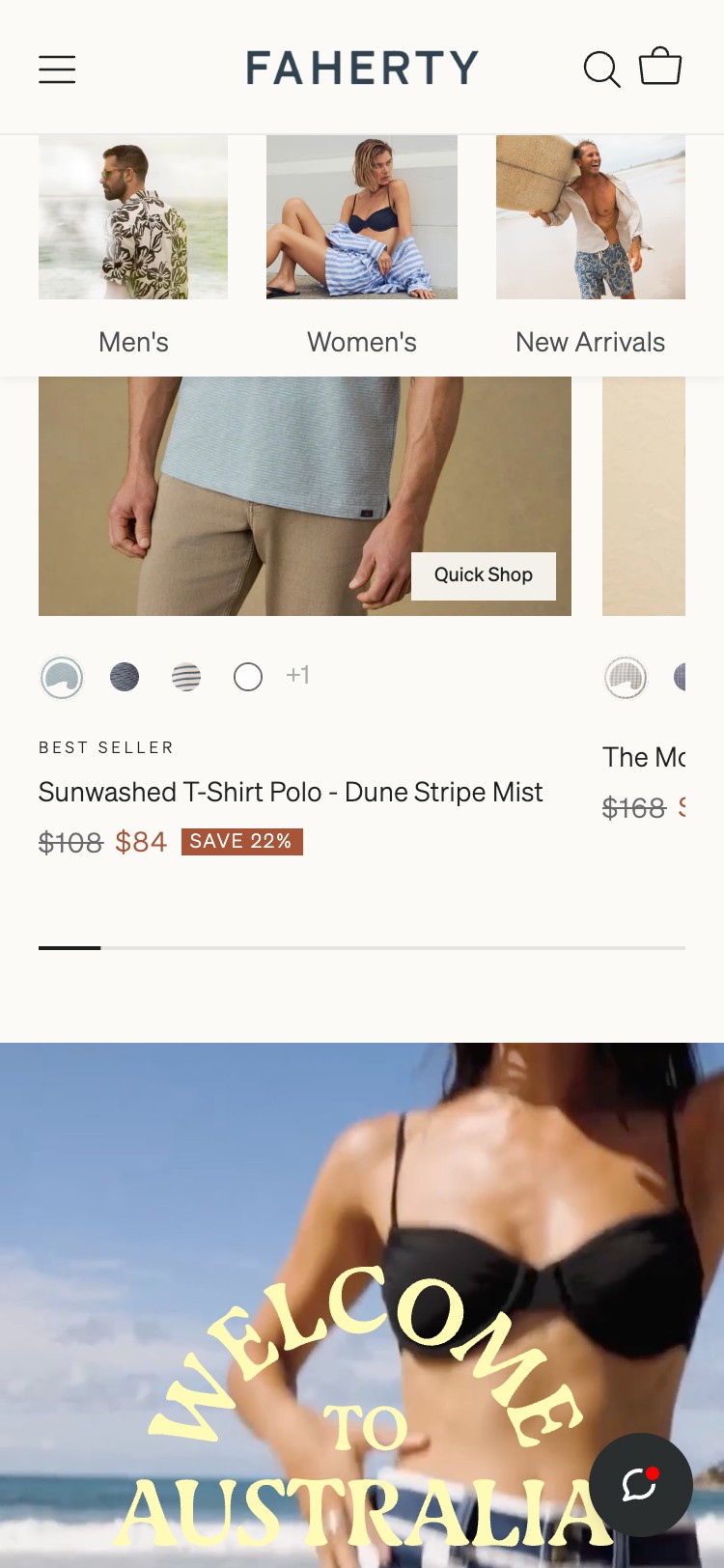
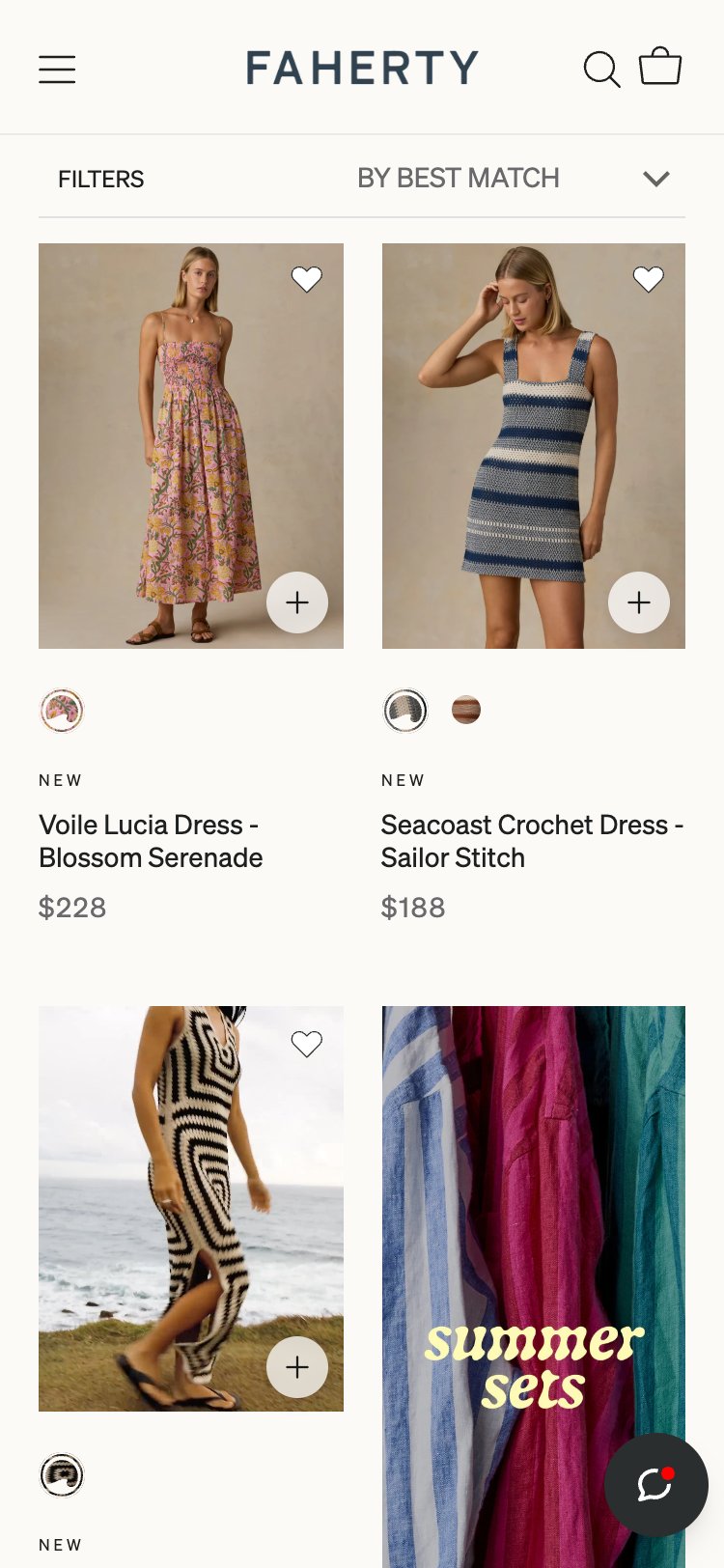
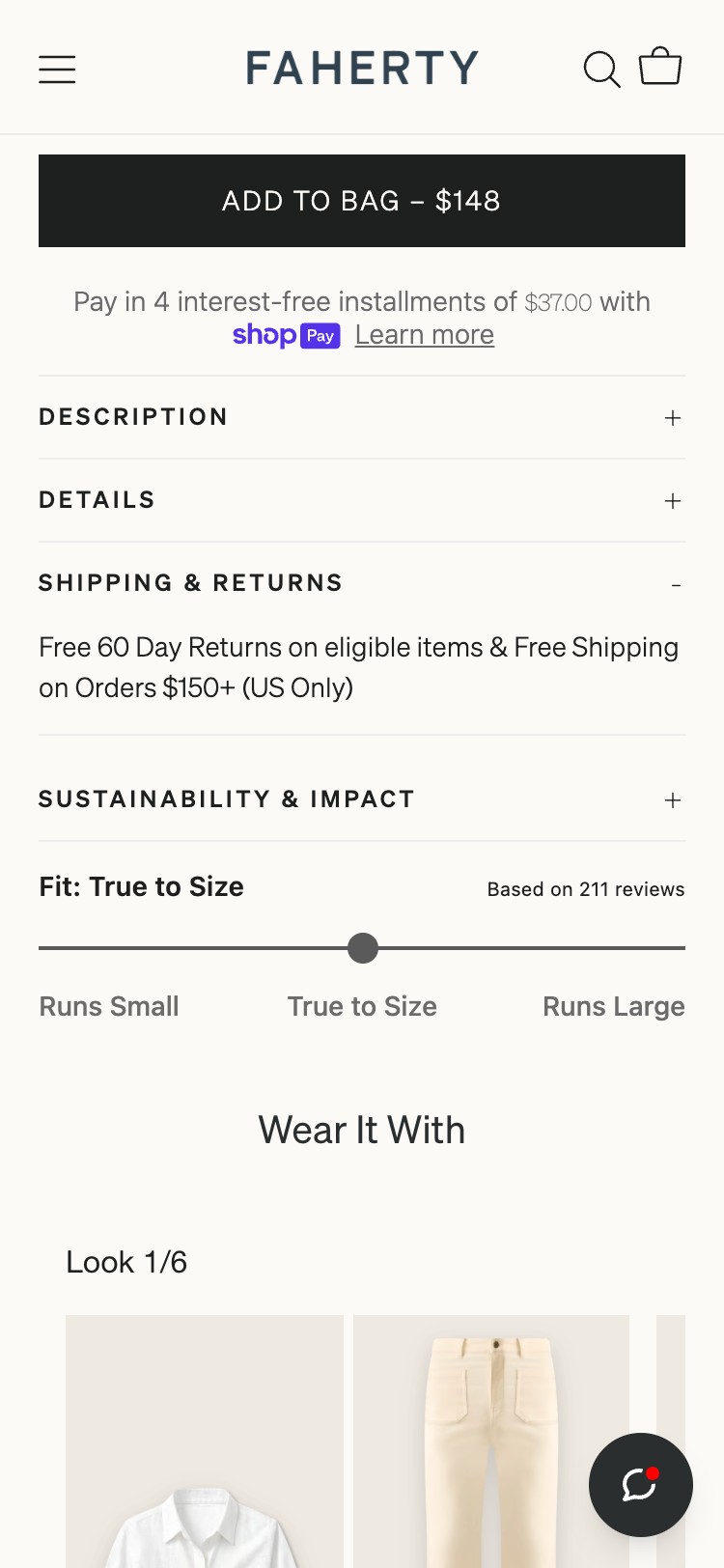
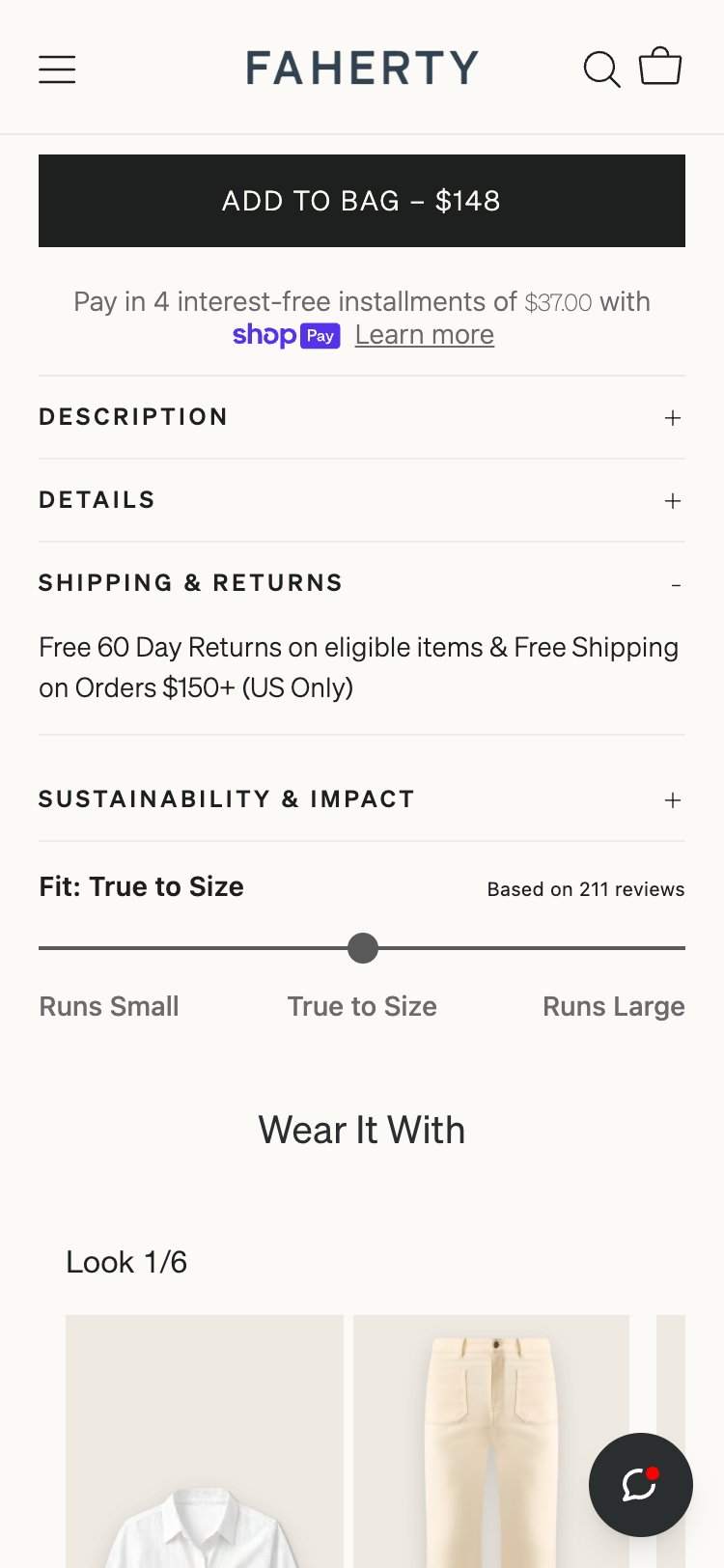
- Competitor Faherty Brand shows Quick Shop on card tap — direct comparison gap
- Add a 'Quick Add' CTA that appears on tap on mobile cards
- For single-size products, add directly to cart; for multi-size, open a bottom sheet size selector
- For desktop, consider a quick-view modal showing first 2 product images + size selector + ATC
- Shopify themes can implement this with minimal custom JavaScript using the cart API
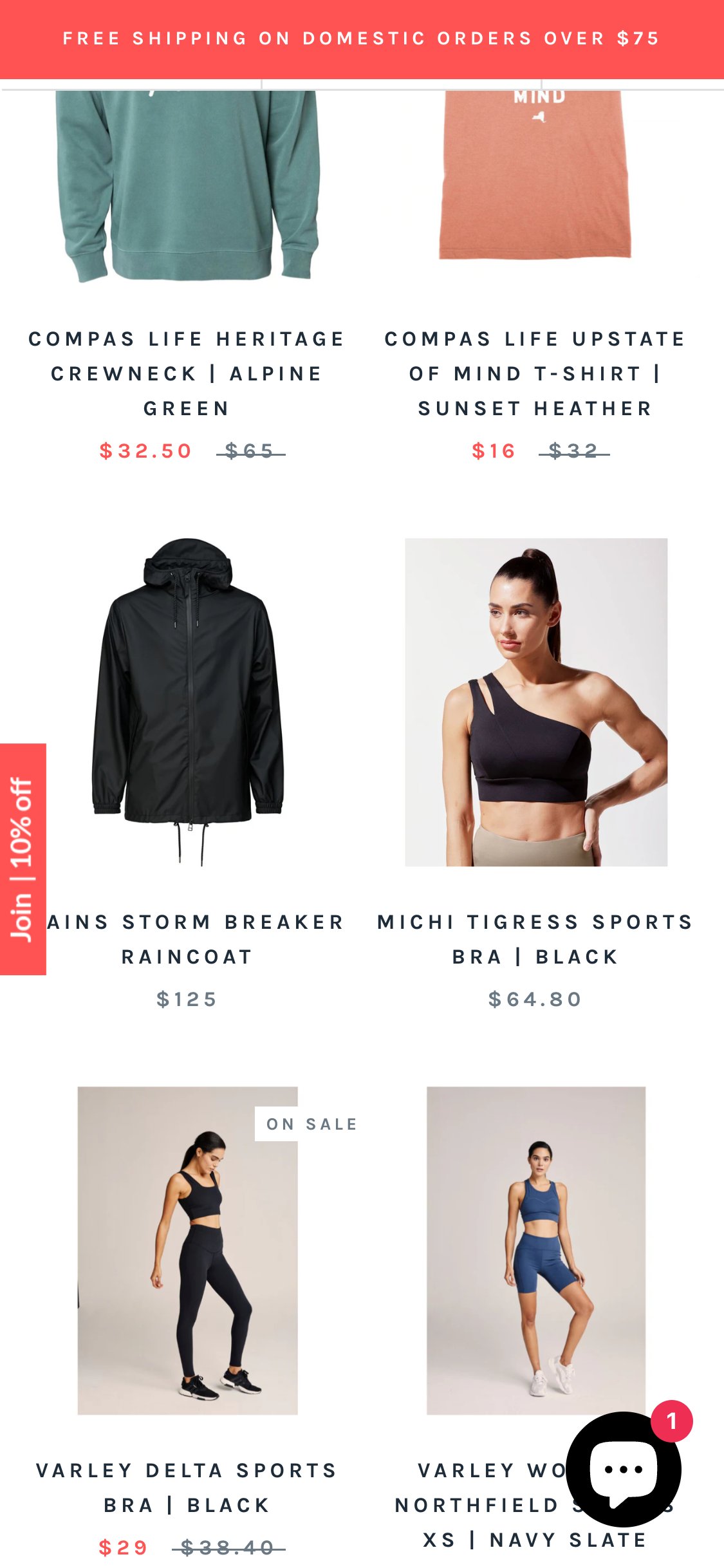
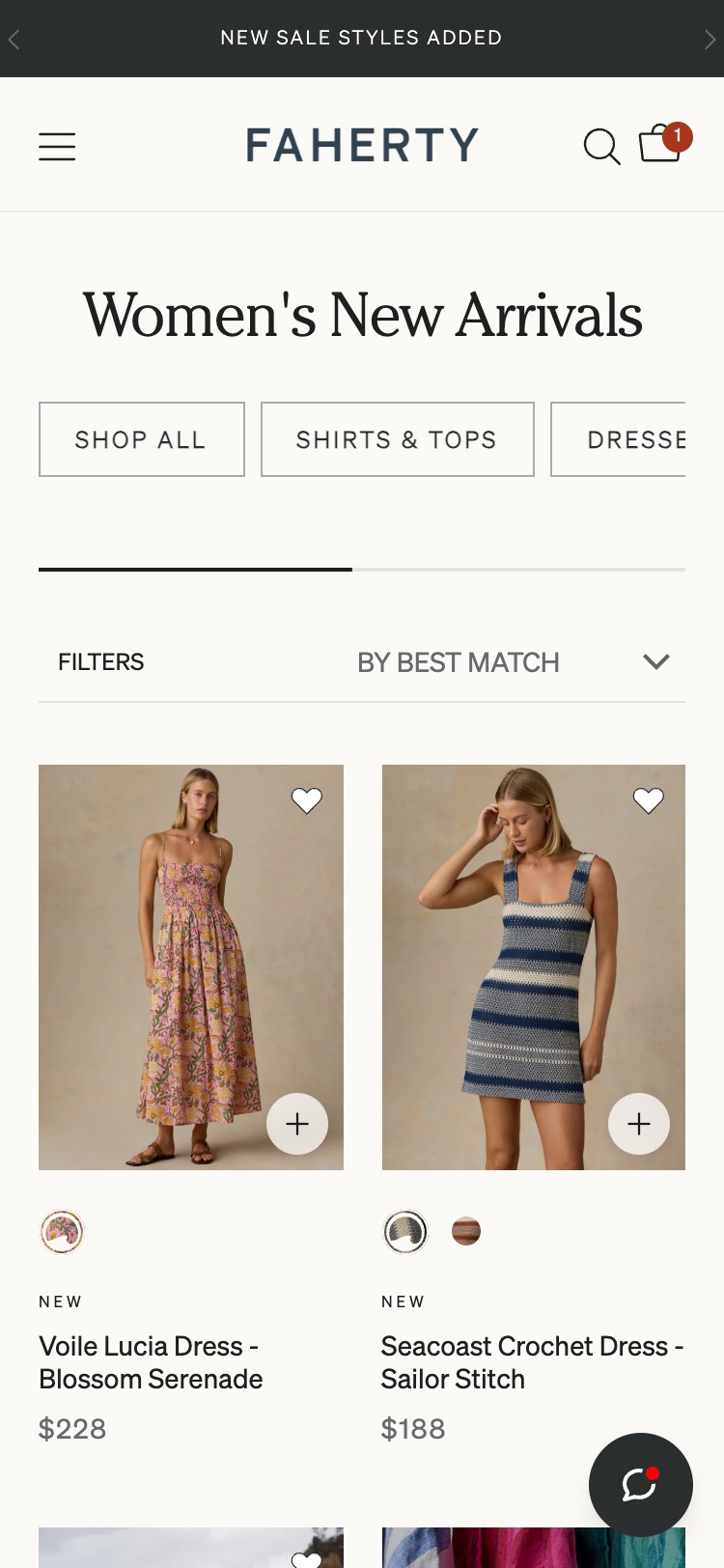
- 0 swatch or variant button elements found on collection cards via JS
- Each card shows a single static product image with no variant indicator
- Products with multiple colorways appear as single, indistinguishable tiles
- No '+N colors' label shown to signal available variants
- Add small circular color swatches (12–16px) below the product title on each card
- Clicking a swatch should swap the card image to that colorway via JavaScript
- Limit display to 4–5 swatches with '+N more' label on mobile to avoid crowding
- Use CSS background-color or small image thumbnails for swatch rendering
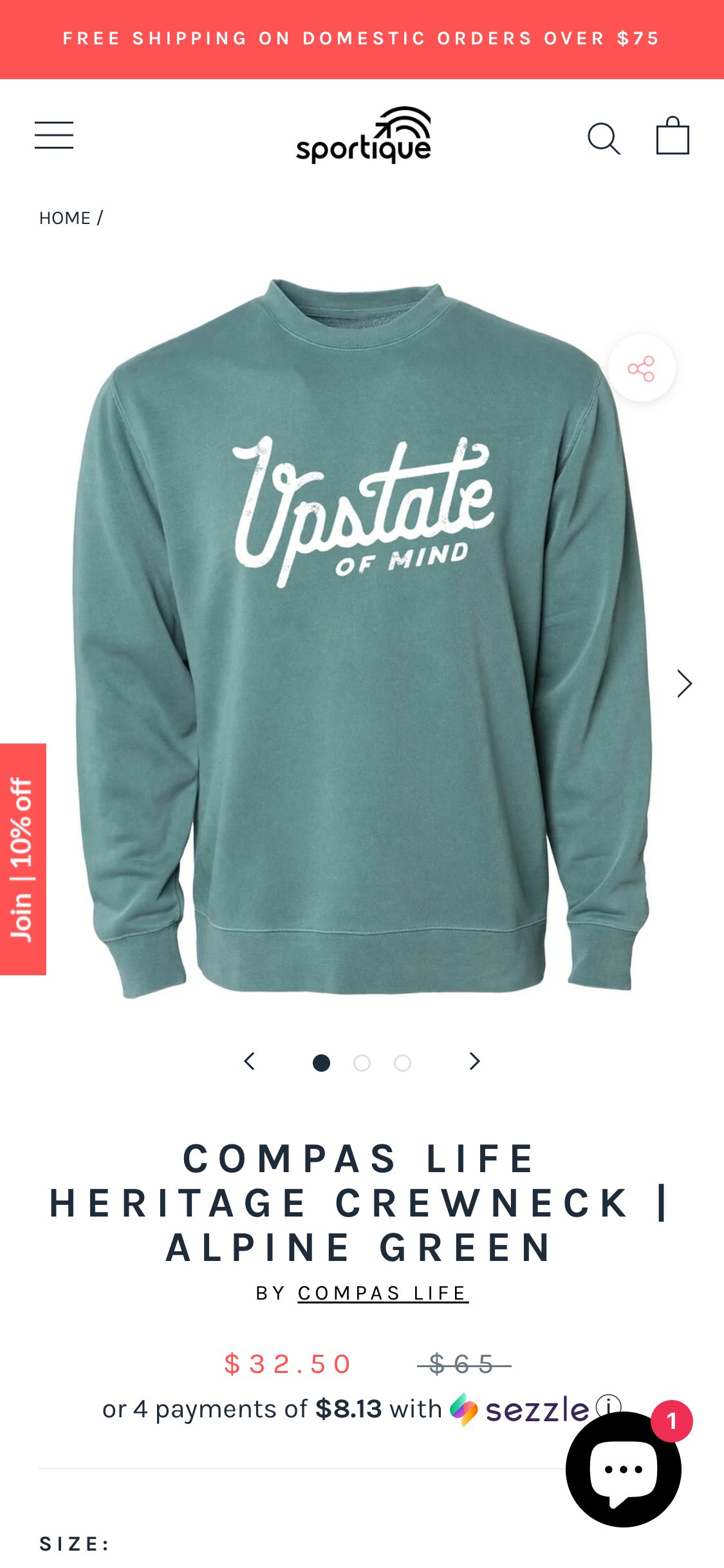
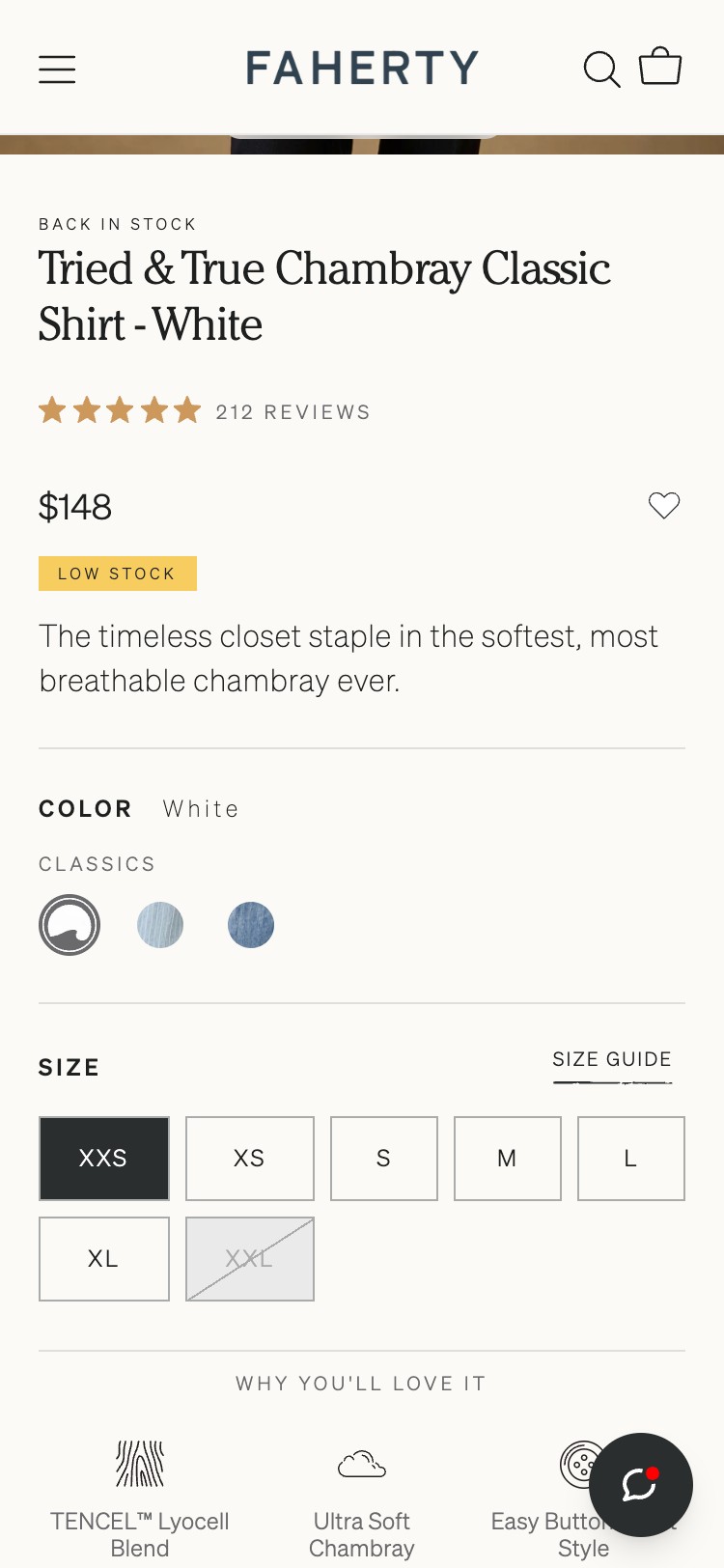
- 0 star rating elements found on PDP via JS — no .rating, .stars, [data-rating], or review-count selectors matched
- Product title area shows name and price only — no aggregate rating badge
- No review app JavaScript global (Loox, Judge.me, Yotpo) detected in window object
- PDP lacks the social proof signal that 7/10 benchmark competitors display prominently
- Install Judge.me (free tier) or Loox for Shopify — both integrate with Shopify natively
- Display aggregate star rating + review count immediately below the product title
- After installation, send review request emails to past purchasers to seed initial reviews
- Target: capture ratings on top 20 SKUs within first 60 days
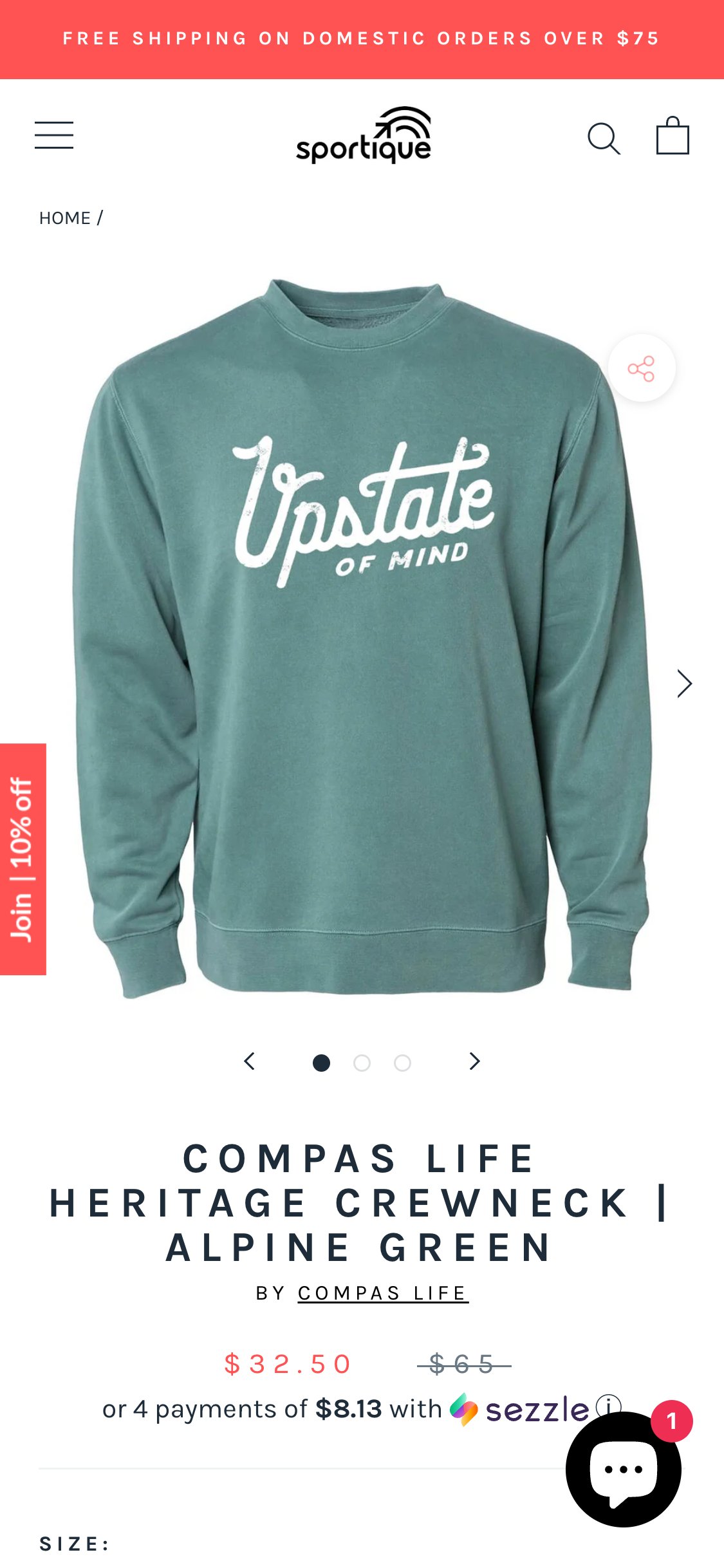
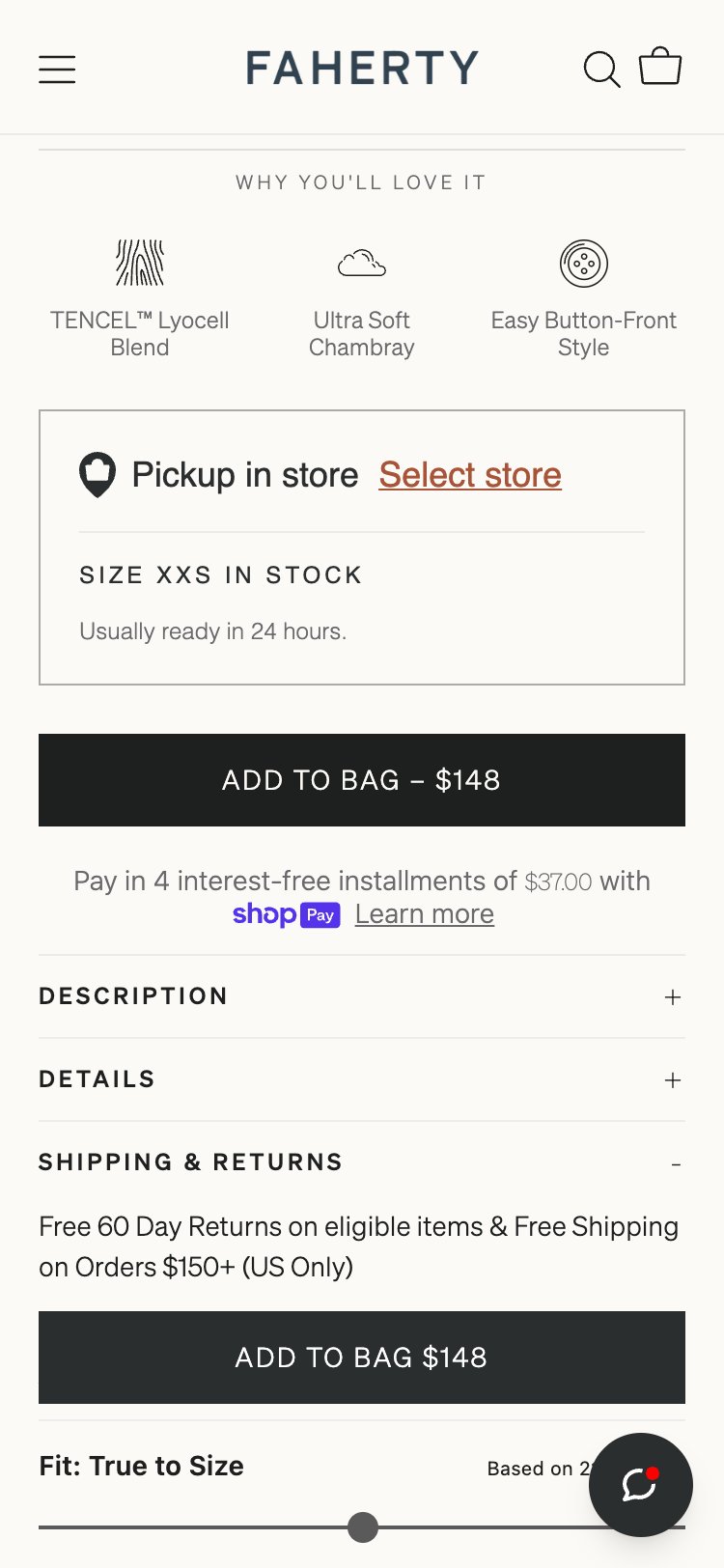
- 0 trust badge or icon elements found near the ATC zone via JS
- ATC area contains: size selector + Add to Cart button only
- No returns policy copy, no secure checkout lock icon, no free shipping messaging near ATC
- Screenshot of ATC area confirms no reinforcing trust signals of any kind in the buy zone
- Add 3 compact trust icons below the ATC button: Secure Checkout (lock), Free Returns (arrow), Free Shipping over $X (truck)
- Can be text-only or icon + short text on mobile — no app required, pure HTML/CSS in theme
- Link the 'Free Returns' text to the returns policy page for transparency
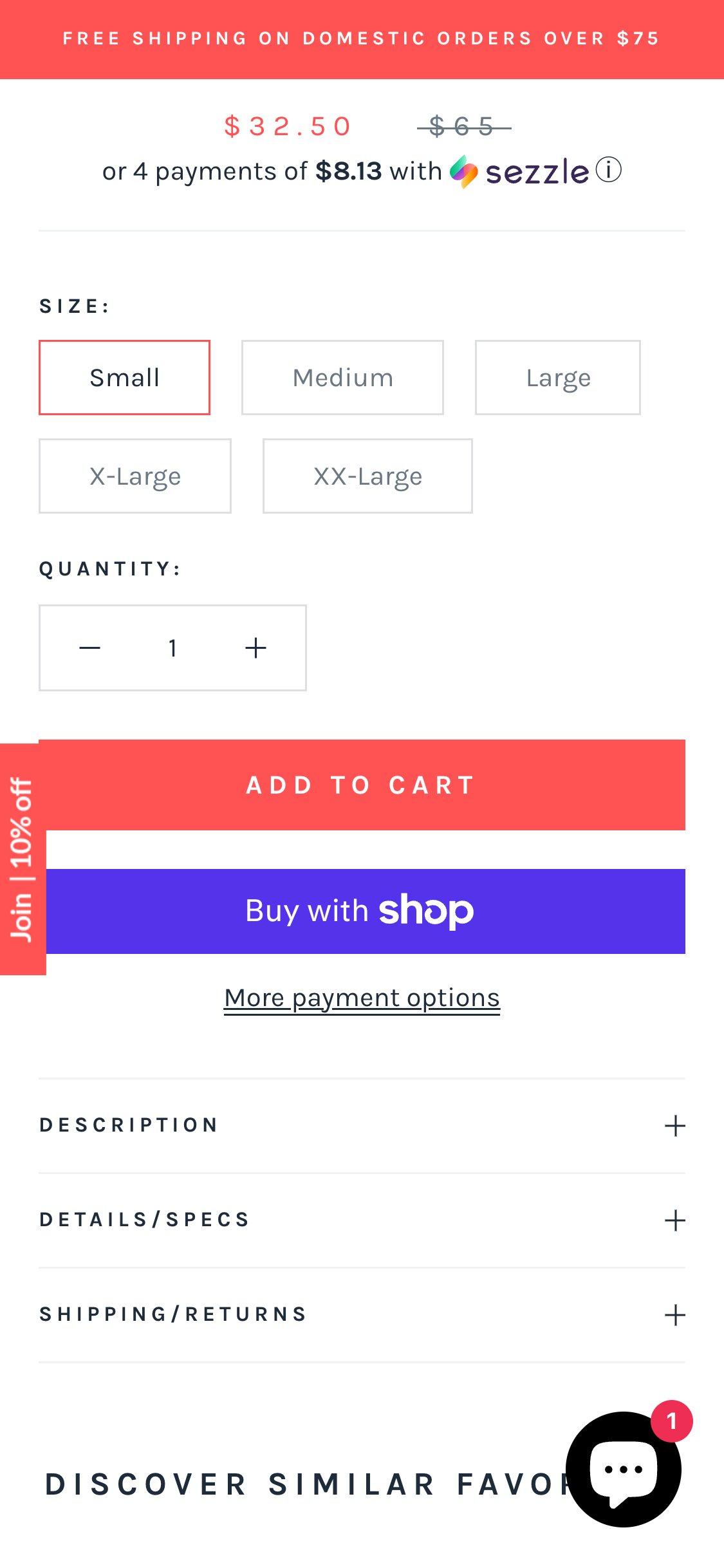
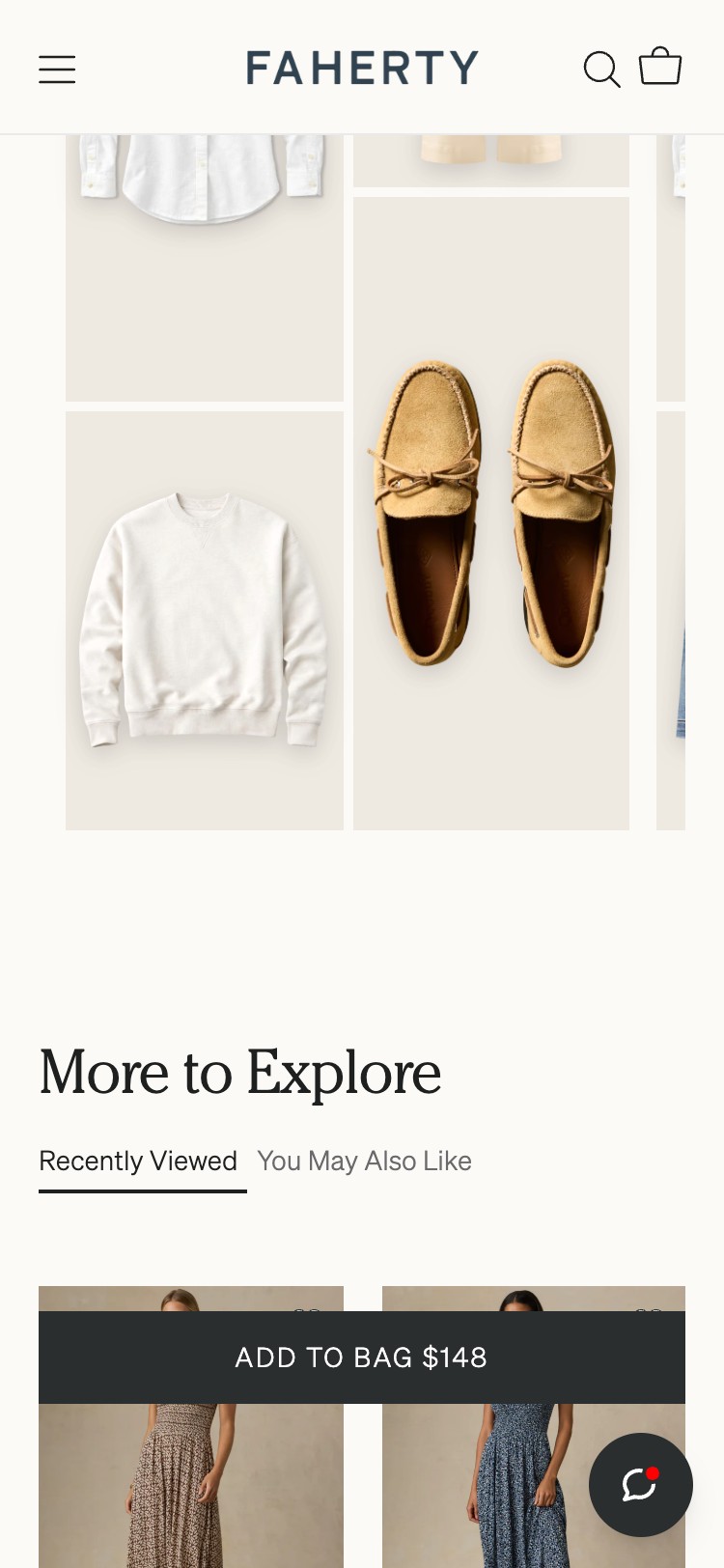
- 0 sticky or fixed ATC elements found in DOM via JS after scrolling past ATC
- No position:fixed or position:sticky element containing an add-to-cart trigger detected
- ATC button disappears from viewport once user scrolls ~300px down
- User must manually scroll back to top to access ATC — confirmed via scroll test
- Implement a sticky bottom bar that activates once the primary ATC scrolls out of viewport using IntersectionObserver
- Minimum content: product name (truncated) + price + 'Add to Cart' button
- Best practice: include selected size in the sticky bar so the state is clear
- Can be implemented in theme Liquid with ~30 lines of CSS + JS — no app required
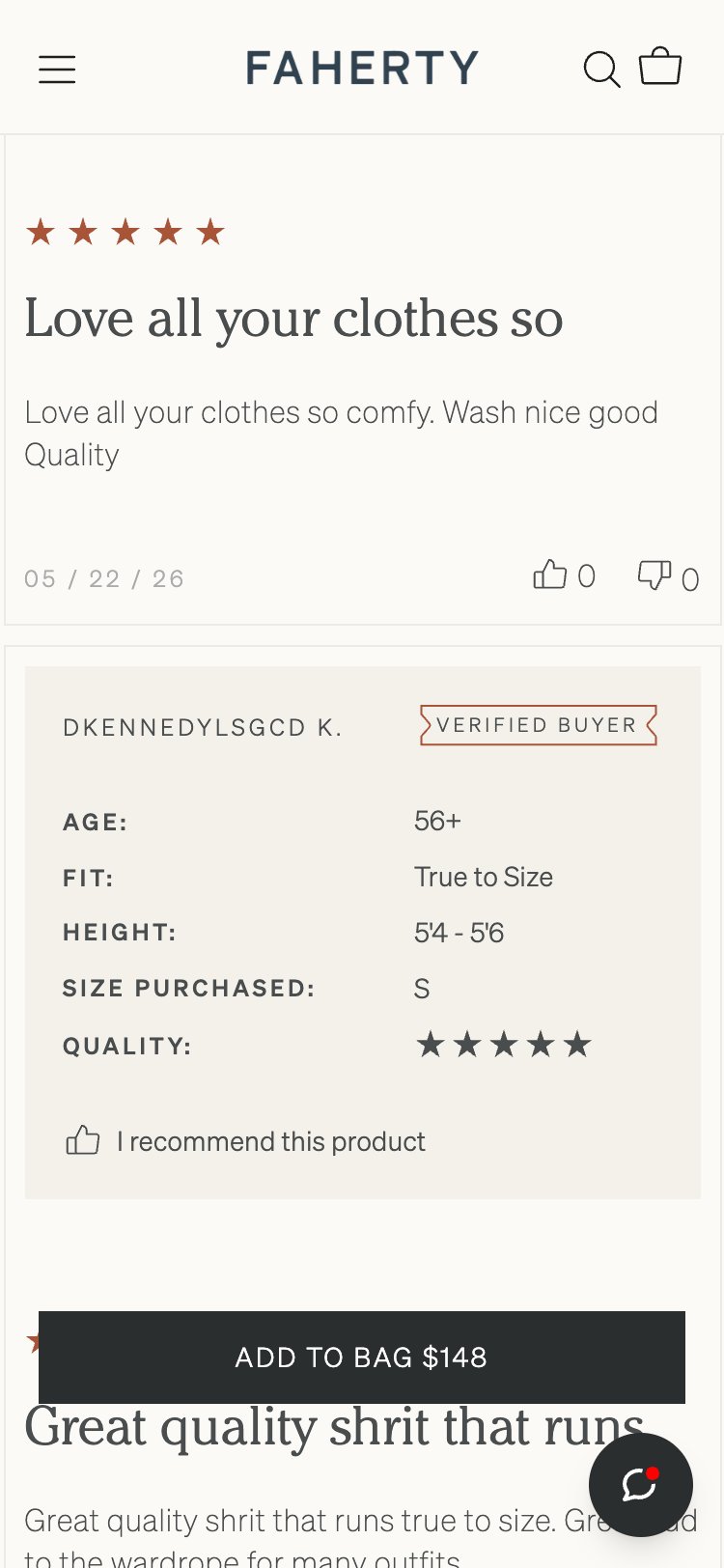
- Full-page scroll to scrollHeight=3522px confirmed no review section at any scroll depth
- No review app widget placeholder found in DOM
- No 'Be the first to review' CTA or empty reviews state present
- Page structure: images → product info → description → related products → footer — no review block
- No review app JS globals (Loox, Judge.me, Yotpo) detected in window object
- Install Judge.me or Loox immediately — both have free Shopify tiers
- After installation, send review request emails to all past purchasers
- Display reviews section below product description on PDP — show photo reviews prominently
- Add fit scale (runs small / true to size / runs large) to the review form to provide size guidance
- Set up automatic post-purchase review request emails at 7 and 14 days post-delivery
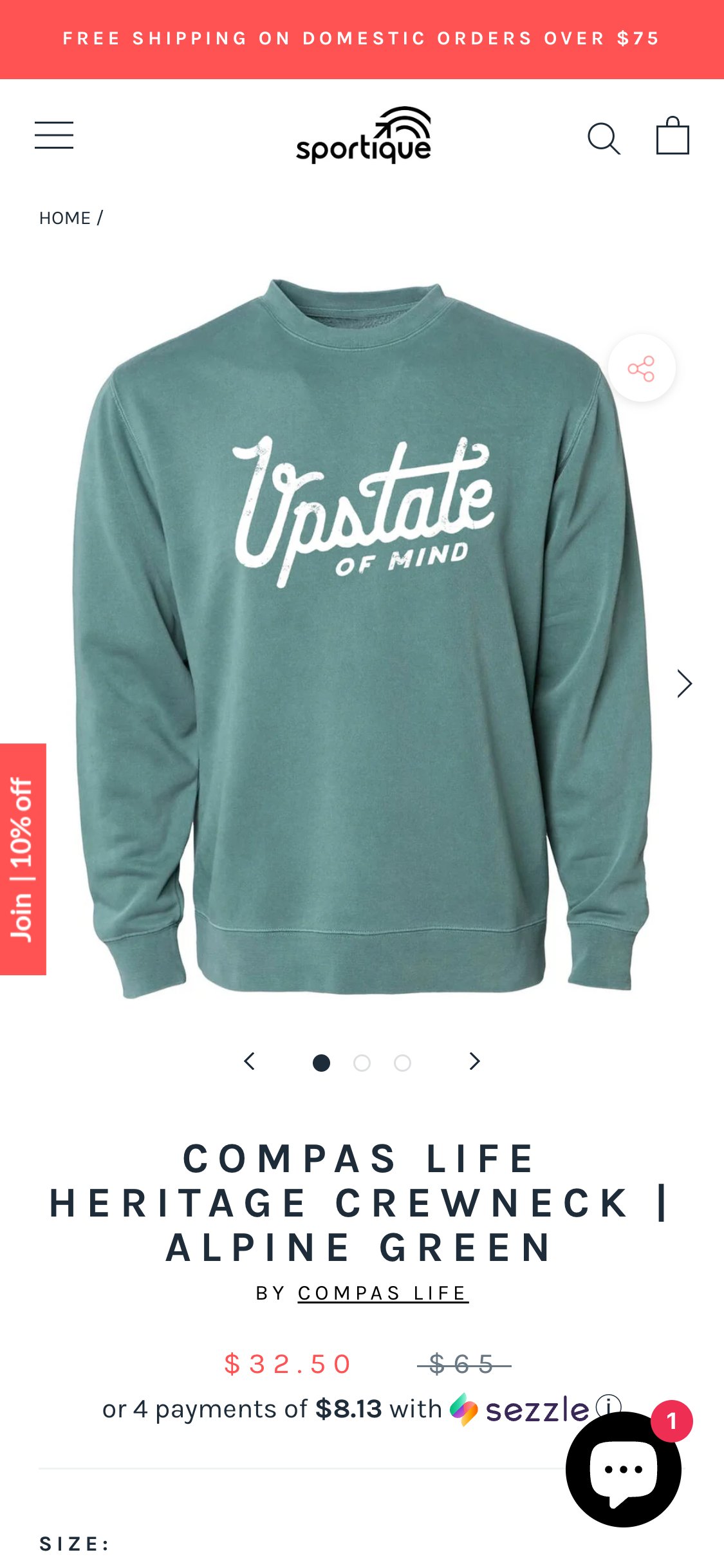
- 0 size guide links or buttons found near the size selector via JS
- Size selector shows S/M/L/XL buttons with no supporting size information
- No measurement chart, no fit description, no model sizing note near the selector
- No size guide app (Kiwi, etc.) JavaScript detected in the page
- Add a 'Size Guide' text link directly beside or below the size selector label
- On click, open a modal with a measurement table: Bust / Waist / Hip in inches and cm per size
- Can be done with free Shopify app (Kiwi Size Chart) or a custom modal — low dev effort
- Consider adding model dimensions note: 'Model is 5'9" wearing size S' to give visual reference
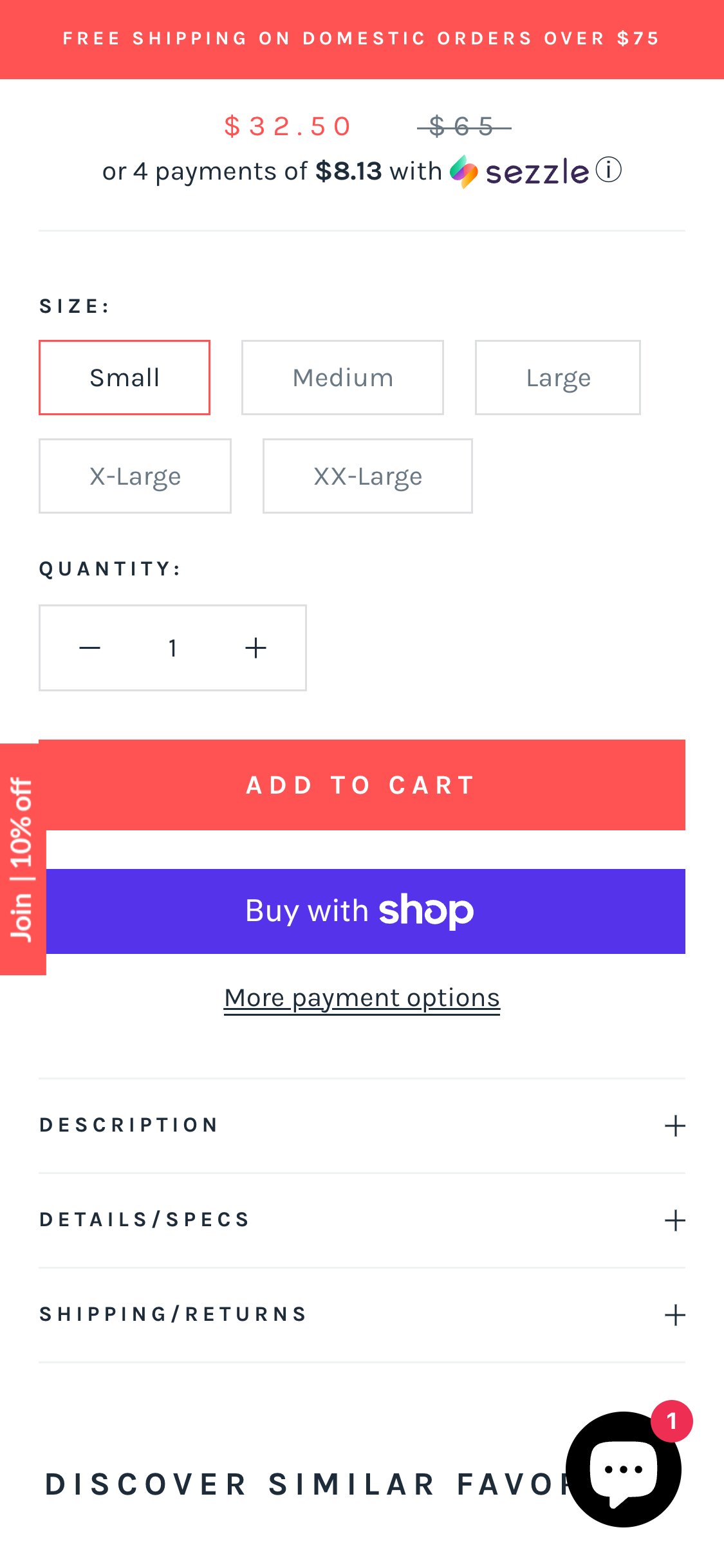
- ATC zone contains: size selector + Add to Cart button + Sezzle BNPL widget only
- No returns policy copy, no exchange information, no shipping estimate present near ATC
- Returns policy exists elsewhere on site but is not surfaced at the purchase decision point
- Screenshot of ATC area confirms no policy reassurance of any kind in the buy zone
- Add a single line of returns copy below the ATC button: 'Free returns within 30 days' with a link to the full policy
- Optionally add a shipping estimate: 'Ships in 2–4 business days'
- Keep it compact — one line is sufficient; this is a no-code theme edit
- Consider adding a small truck icon + free shipping threshold reminder in the same zone
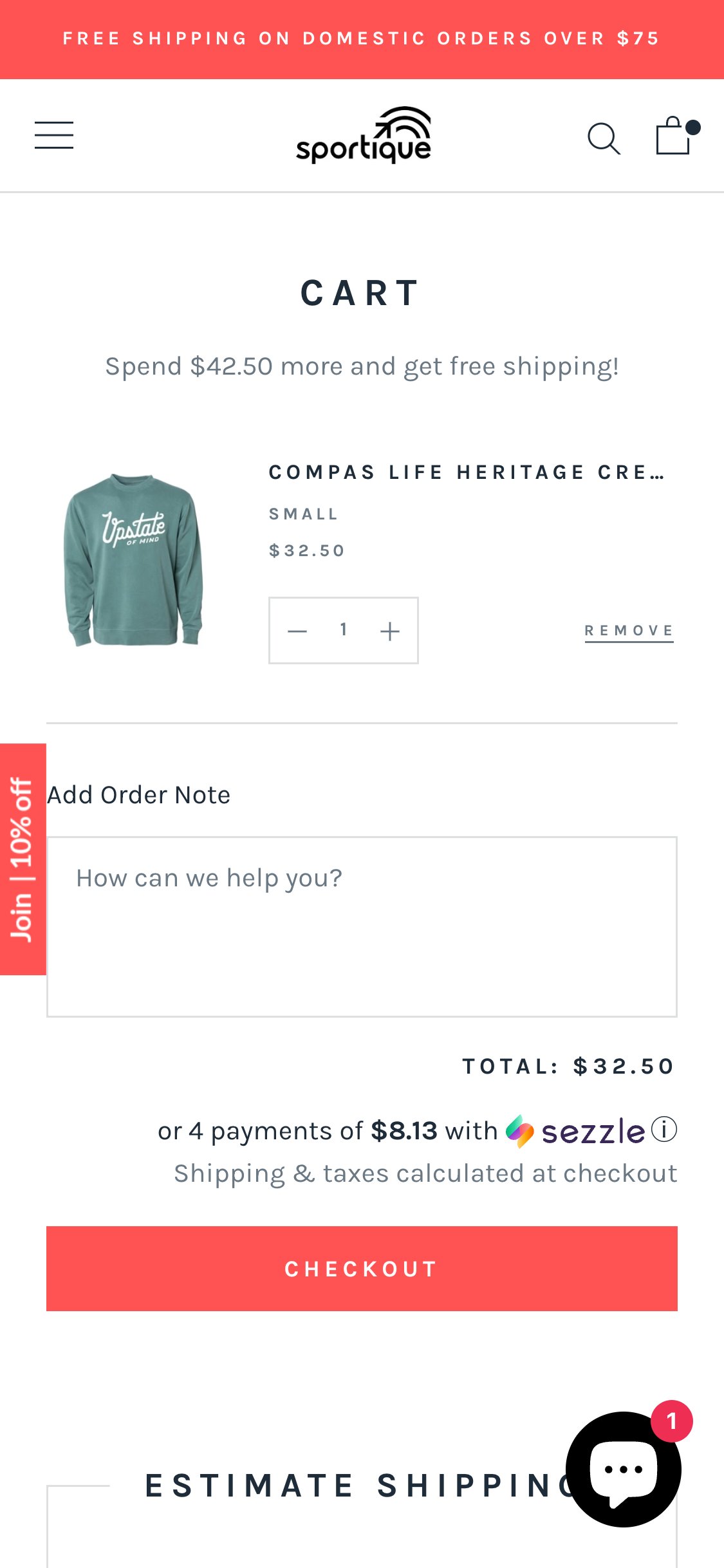
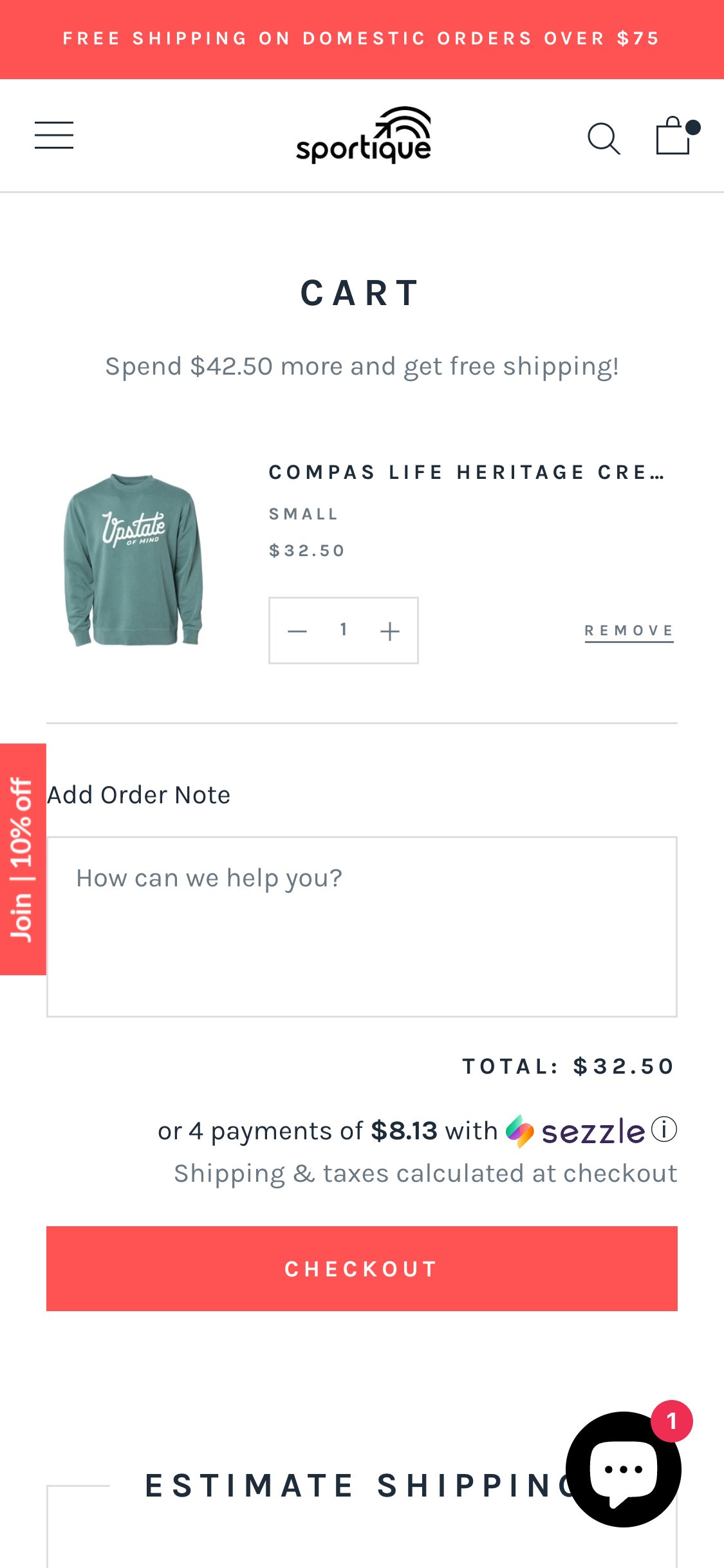
- 0 trust badge elements found near the Checkout button via JS
- 0 payment method icons (Visa, Mastercard, PayPal, etc.) visible in cart
- 0 security or SSL messaging near checkout CTA
- Cart shows: item + quantity + subtotal + Checkout button — no trust reinforcement layer
- Add below the Checkout button: accepted payment icons (Visa/MC/Amex/Apple Pay/Shop Pay)
- Add a lock icon with 'Secure Checkout' text — static HTML, no app required
- Add a brief returns reminder: 'Free 30-day returns' to reduce checkout hesitation
- Payment icons can be sourced as free SVGs from Shopify's icon set
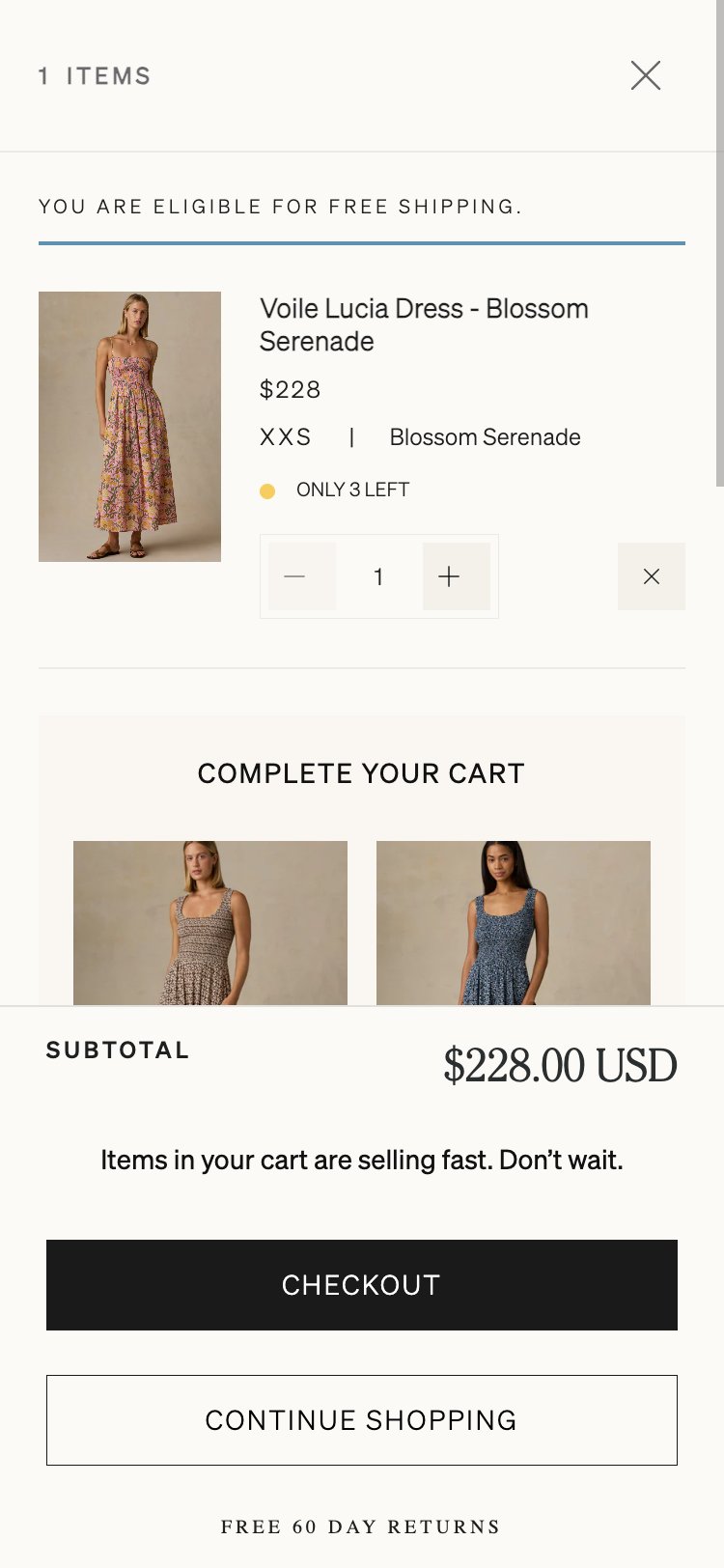
- 0 urgency or scarcity elements found on cart page via JS
- 0 stock level warnings or low-inventory alerts present
- 0 countdown timers or sale-expiry indicators visible
- Cart items show quantity + price with no inventory context whatsoever
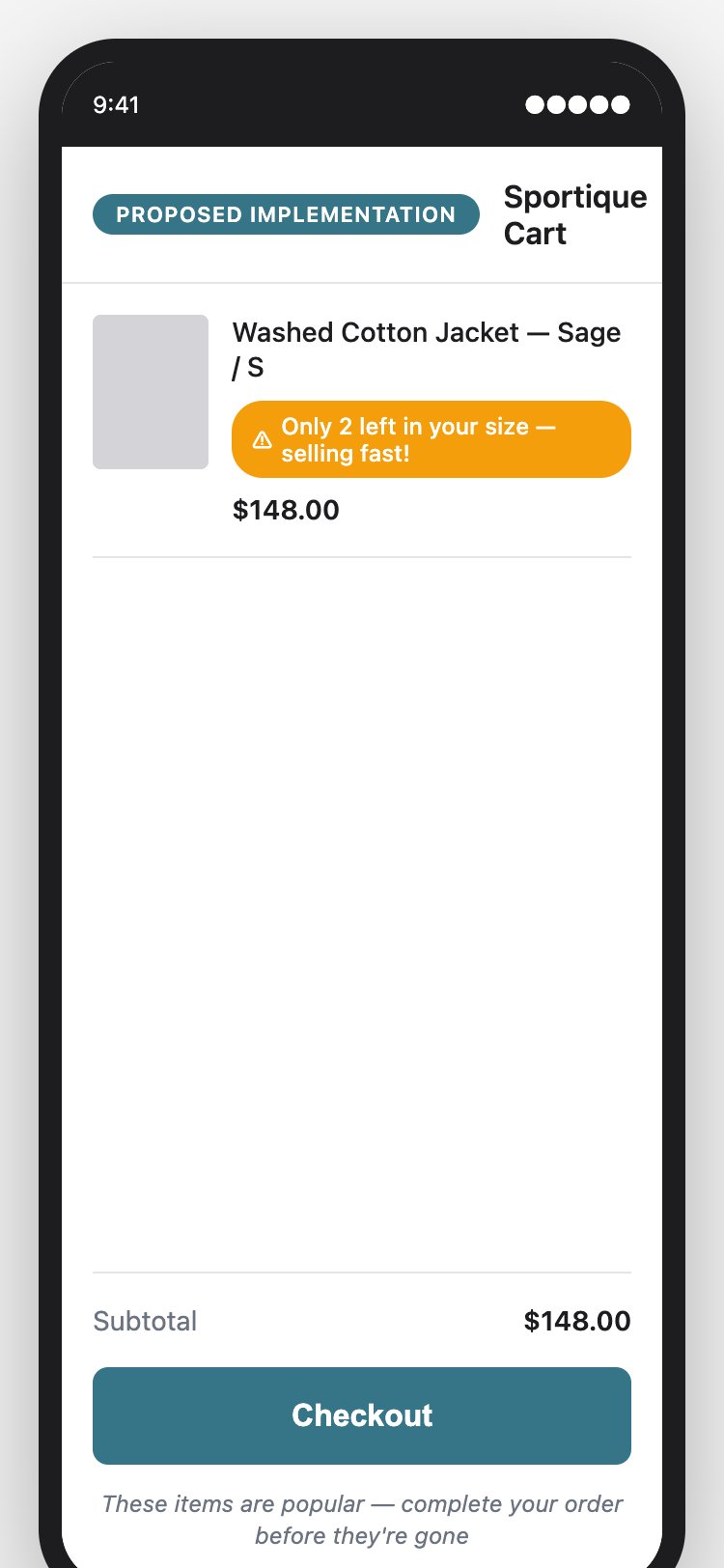
- Add low-stock messaging: if a cart item has <5 units remaining, show 'Only 3 left in your size!' in amber text
- Can be implemented via cart Liquid template reading inventory_quantity from the line item
- For sale items, consider adding a countdown timer showing when the sale expires
- Soft urgency copy is also effective: 'These sell fast — complete your order before they're gone'
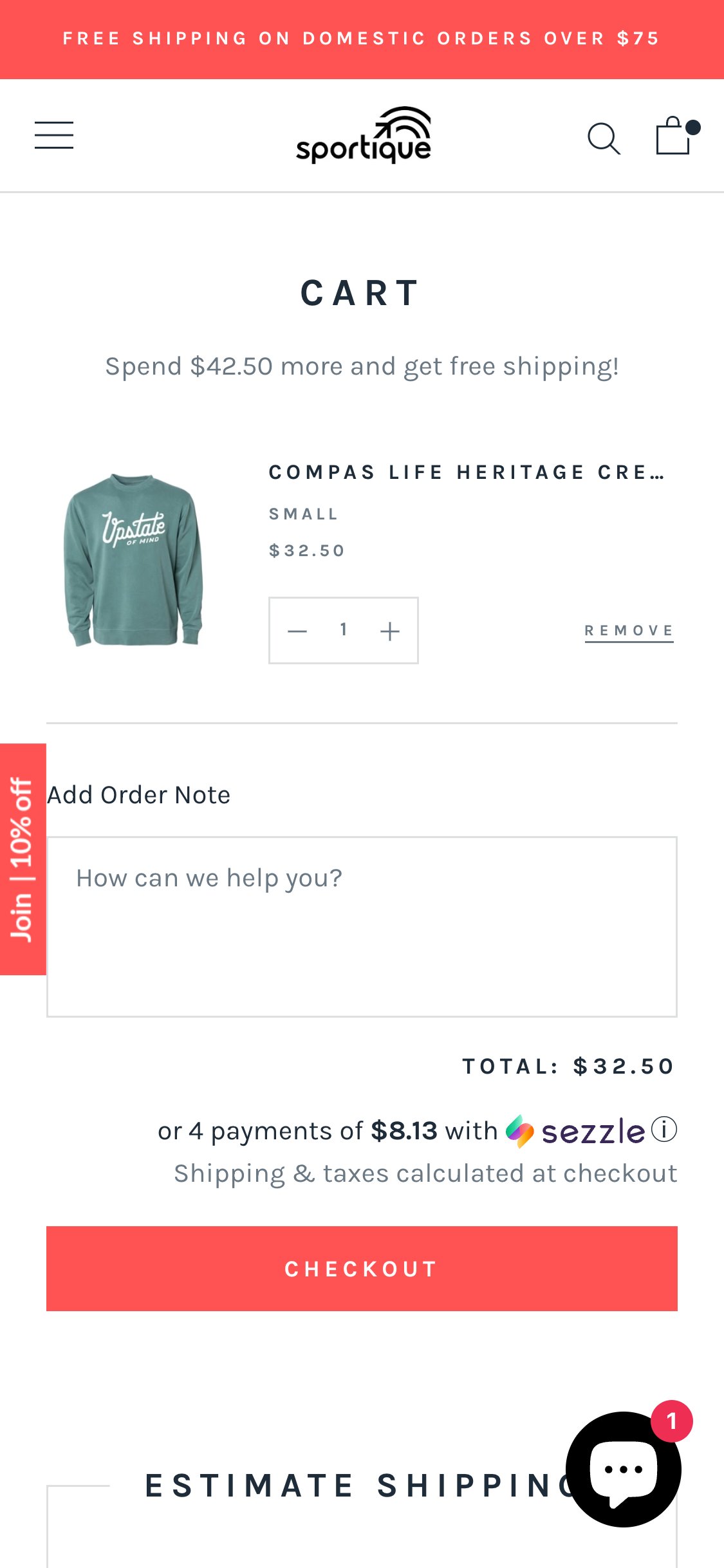
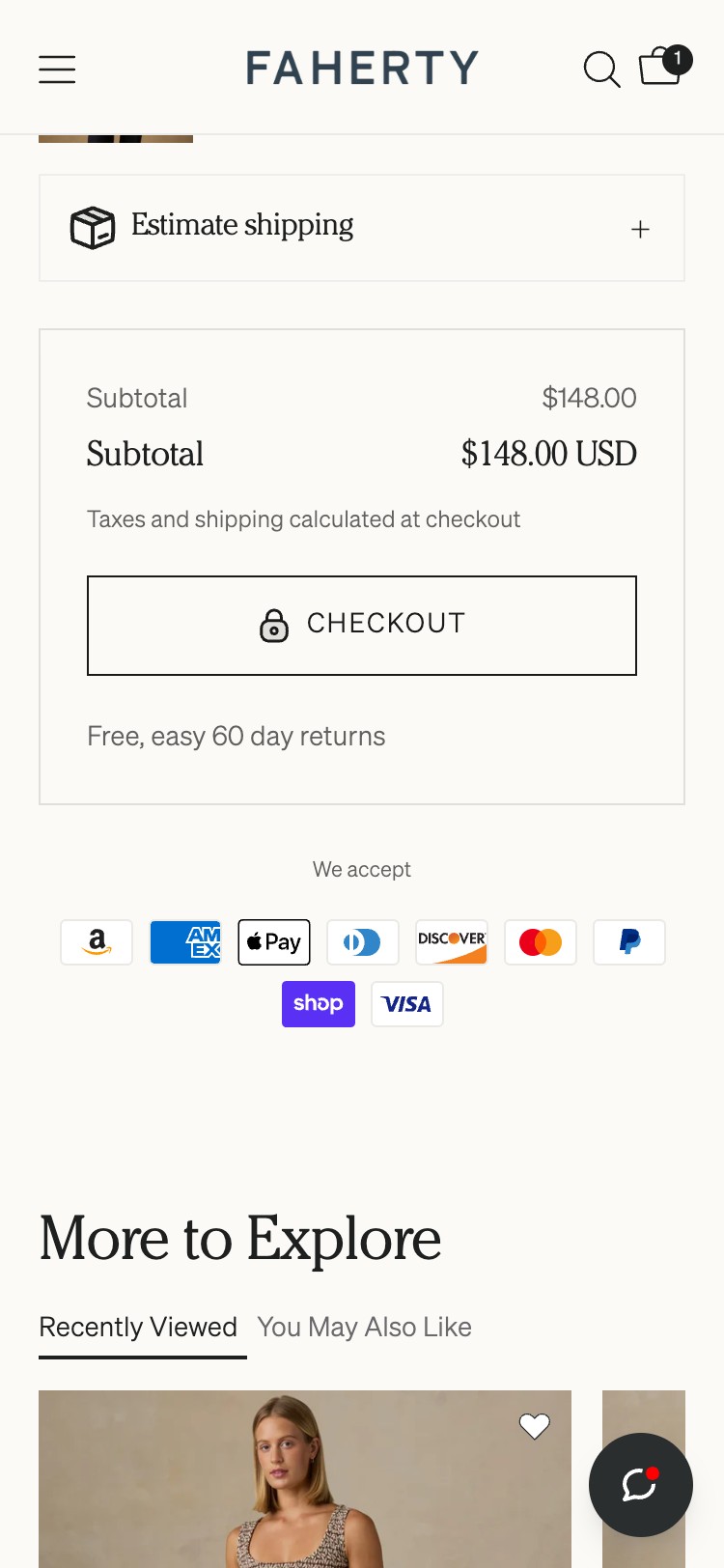
- Single 'Checkout' button only found in cart — no express payment buttons
- Shop Pay observed on PDP as a 'Buy Now' button but absent from the cart page
- 0 Apple Pay, Google Pay, PayPal, or Shop Pay buttons in cart checkout area
- Shopify supports dynamic checkout buttons natively — feature is disabled in theme settings
- Enable Shopify's dynamic checkout buttons in the cart template — this is a single Shopify theme setting change, zero development required
- This surfaces Shop Pay, Apple Pay, Google Pay, and PayPal based on customer's device and saved payment methods
- Place express buttons above or below the standard Checkout button with an 'OR' divider
- Priority: Shop Pay and Apple Pay have the highest mobile adoption in the US market
App Ecosystem
What's installed vs what's missing from best-in-class Fashion & Lifestyle stores
Present (5)
Missing (7)
App Stack Assessment
Sportique runs a minimal but functional app stack: Klaviyo for email, Google Analytics for web tracking, Shopify Chat for support, Sezzle for BNPL, and Shop Pay for express checkout on PDP. The critical gap is the complete absence of a reviews app — with zero star ratings and no customer reviews anywhere on the site, Sportique is missing its highest-leverage conversion signal.
Confidential — Prepared for Sportique by Growisto | May 2026